Budget categories: the list to start with (2026)
Budget categories are the groups you sort your spending into, like rent, groceries, or dining out, so you can give each one a limit. Here is a list of ten to start with, the same ten Outlayr sets up when you install it, how to size each limit, and an example in dollars and pesos.


| Category | What goes in it | Example on $3,000 | Example on MX$20,000 |
|---|---|---|---|
| Rent | Rent or mortgage | $720 (24%) | MX$4,800 |
| Groceries | Food you cook at home | $300 (10%) | MX$2,000 |
| Dining Out | Restaurants, takeout, delivery | $180 (6%) | MX$1,200 |
| Transport | Bus, metro, rides, parking | $90 (3%) | MX$600 |
| Fuel | Gas for the car or motorbike | $90 (3%) | MX$600 |
| Home | Repairs, cleaning, things for the house | $60 (2%) | MX$400 |
| Utilities | Power, water, gas | $120 (4%) | MX$800 |
| Phone & Internet | Mobile plan and home internet | $60 (2%) | MX$400 |
| Healthcare | Doctor, pharmacy, dentist | $60 (2%) | MX$400 |
| Entertainment | Movies, games, going out | $120 (4%) | MX$800 |
An example on take-home pay of $3,000 or MX$20,000 a month. The other 40% goes to savings and to wants these ten don't cover.
- To start
- 10 expense categories and 4 for income
- First limits
- What you spent last month, not a guess
- Split one when
- It hides two habits, like groceries and eating out
- Review
- 10 minutes a week, and a close at month end
- In Outlayr
- 10 ready when you install it, 13 more suggested, or your own with an icon or emoji
- Free plan
- 2 category budgets plus one overall. Unlimited with Pro
What are budget categories?
Budget categories are the labels you sort every expense into, such as rent, groceries, or transport, so you can see where your money goes and set a limit for each one.
A good list is short enough that filing an expense takes no thought, and specific enough that each category points to one habit you could change.
The list to start with
Outlayr creates ten expense categories when you install it: Groceries, Dining Out, Transport, Fuel, Rent, Home, Utilities, Phone & Internet, Healthcare, and Entertainment. Income gets four: Paycheck, Freelance, Business, and Gifts.
When something doesn't fit, it suggests 13 more: Coffee, Subscriptions, Fitness, Shopping, Fashion, Travel, Education, Gifts, Pets, Family, Personal Care, Insurance, and Taxes. Add one only when you would use it every month; the rest can wait.
How to pick limits
Start from what you actually spent. Add up last month per category, or the last two or three if you have them, and use that as the first limit. A limit you already know you can't keep only teaches you to ignore it.
Fixed costs like Rent and Phone & Internet get a limit equal to the bill. Then trim one or two of the categories that are a choice, like Dining Out or Entertainment, by an amount you can live with.
With no history yet, the 50/30/20 rule gives a first split: half of what you take home for needs, 30% for wants, and 20% for savings. After a month of logging, move the limits to your real numbers.
A worked example in two currencies
The table above uses take-home pay of $3,000 a month in the United States and MX$20,000 in Mexico. The eight needs (Rent, Groceries, Transport, Fuel, Home, Utilities, Phone & Internet, and Healthcare) add up to 50%: $1,500, or MX$10,000. Dining Out and Entertainment take 10%: $300, or MX$2,000.
That leaves 40%, $1,200 or MX$8,000: 20% for savings and 20% for the wants the ten don't cover. The shares are an example, not a rule. When rent takes more, the other needs or the wants get less.
If you are paid in one currency and spend in another, keep your budgets in the currency you are paid in. Outlayr adds up each entry in your main currency at the rate of its own day, so a purchase in pesos counts against a limit in dollars.
How to do it in Outlayr
Outlayr is the expense tracker that never links your bank: log by sentence, voice, receipt or Apple Pay, in any of 165 currencies.
1. Open Settings, then Categories. The ten above are already there. Tap one of the 13 under Suggested to add it, or add your own with a name and an icon or emoji.
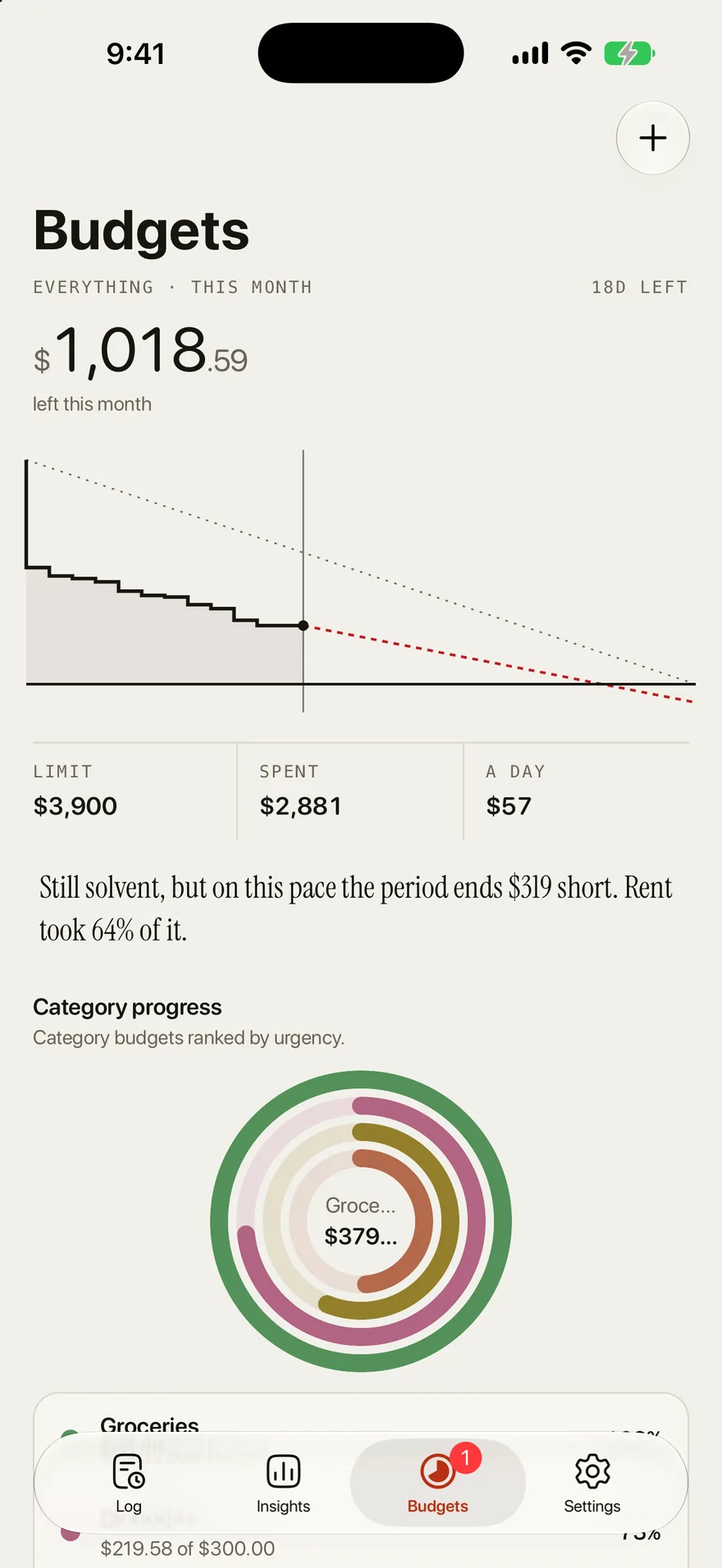
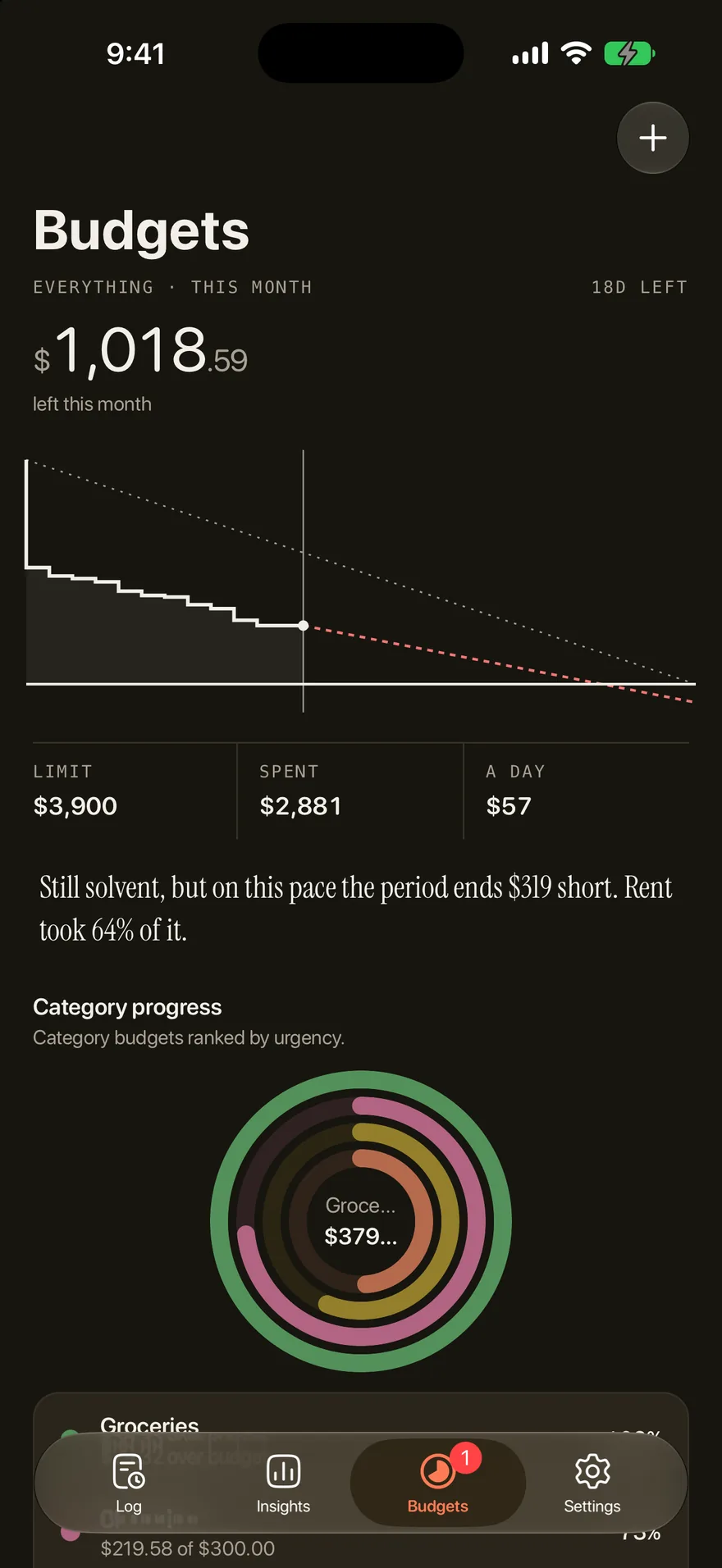
2. In Balances, under Categories, pick a category and set its limit. Categories without a budget show what you typically spend, and Outlayr replays your last period against the limit you pick.
3. Log as you spend. Each entry lands in a category and updates what is left, and the budget says where your current pace ends.
4. At month end, look at which limits held and move the ones that didn't. The free plan includes 2 category budgets plus the overall one; Outlayr Pro has no limit.
Questions
What are the main budget categories?
Housing, groceries, eating out, transport, utilities, phone and internet, healthcare, and entertainment cover the bills most people pay every month. Outlayr starts you with them as ten categories: Groceries, Dining Out, Transport, Fuel, Rent, Home, Utilities, Phone & Internet, Healthcare, and Entertainment.
How many budget categories should I have?
6 to 10 at first. With too many, every expense becomes a decision and it is easier to quit. Add or split a category only when you would use it every month.
What is the difference between a category and a budget?
A category is where an expense goes. A budget is the limit you put on a category, or on all of them, for a day, a week, a month, or a year.
Should savings be a budget category?
Treat savings as money you set aside first, not as spending. In Outlayr, a savings goal names an amount, an account, and a date, and tells you what that costs a month.
Can I change the categories in Outlayr?
Yes. In Settings, under Categories, you can rename them, change the icon or emoji, reorder them, add subcategories, and add your own.
Track every expense in one sentence
Free to start. No ads on any plan.
Keep reading
Guides
The 50/30/20 rule, with a worked example
The 50/30/20 rule is a budgeting rule that splits your take-home pay three ways: 50% for needs, 30% for wants, and 20% for savings and paying down debt. Below is what goes in each part, a worked example in dollars and pesos, and how to set it up in Outlayr.
Guides
Plan a budget and see where this pace ends
Outlayr sets a budget per category or one for the whole month, carries over what you did not spend, and says where your current pace ends before the month does.
Calculators
50/30/20 budget calculator
Split your take home pay into needs, wants, and savings, by the 50/30/20 rule or a stricter split.